BenQ SmartRemote App
Role
Lead Visual & UI Designer
Focus
Mobile UI/UX
UX-Centered Marketing
Year
2025
Link
The BenQ SmartRemote App is a digital solution that transforms a smartphone into an intuitive control center. The app offers a seamless hardware-software experience through a clean interface and intuitive visual hierarchy.
BenQ SmartRemote App 是一款將智慧型手機轉化為控制中心的數位解決方案。針對實體遙控器輸入困難與易遺失的痛點,此 App 透過簡潔的介面與直觀的層級設計打造了軟硬體無縫結合的使用體驗。獨創的「情境投影」功能更讓使用者能隨心切換空間氛圍。
01. Challenge: From Physical to Digital
-
The Problem: Traditional projector remotes are often cumbersome, easily lost, and offer poor text input experiences. BenQ needed a mobile solution that felt as intuitive as a smartphone.
-
The Goal: To design a "Smarter Way to Control" by creating a unified mobile interface that manages everything from basic navigation to complex "Atmosphere" settings.

02. Clean Interface & Visual Hierarchy
-
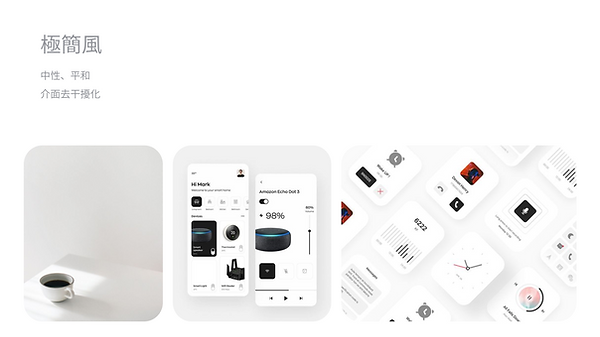
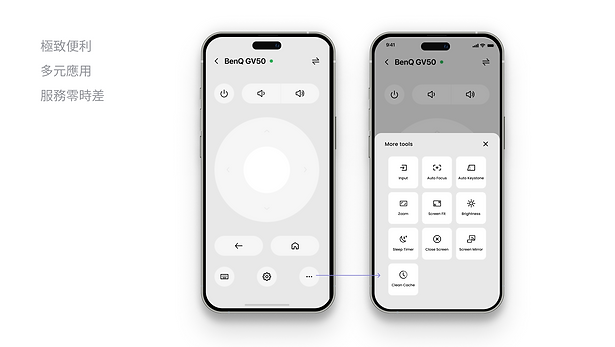
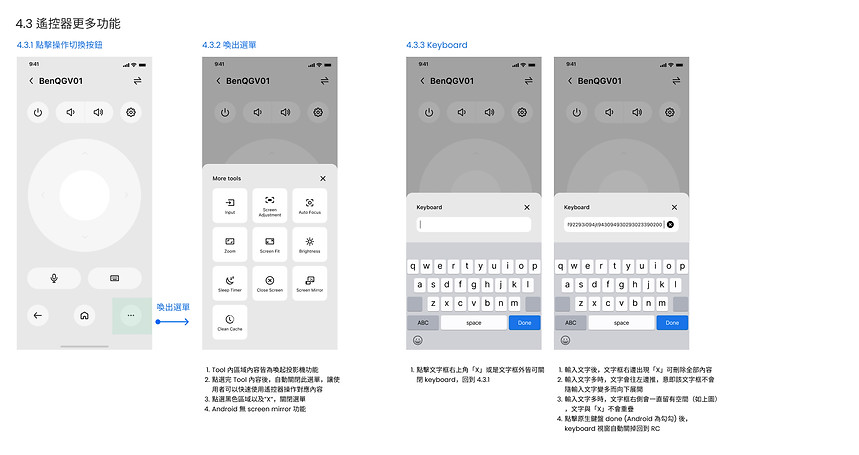
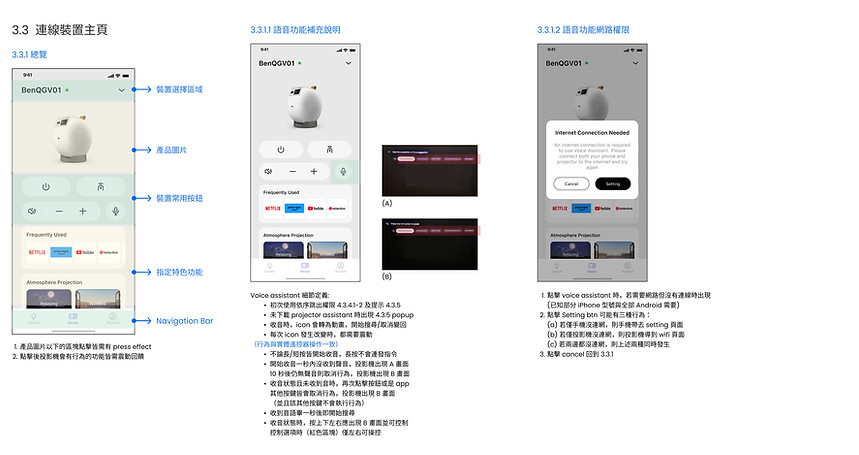
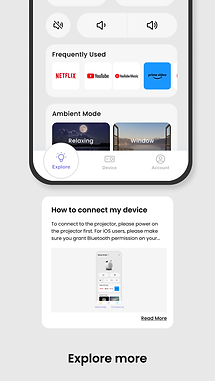
UI Philosophy: Adopting a "Clean Interface" strategy to reduce cognitive load. By using a minimalist white background and consistent purple accent colors, I ensured that critical controls (Volume, Power, Settings) stand out.

-
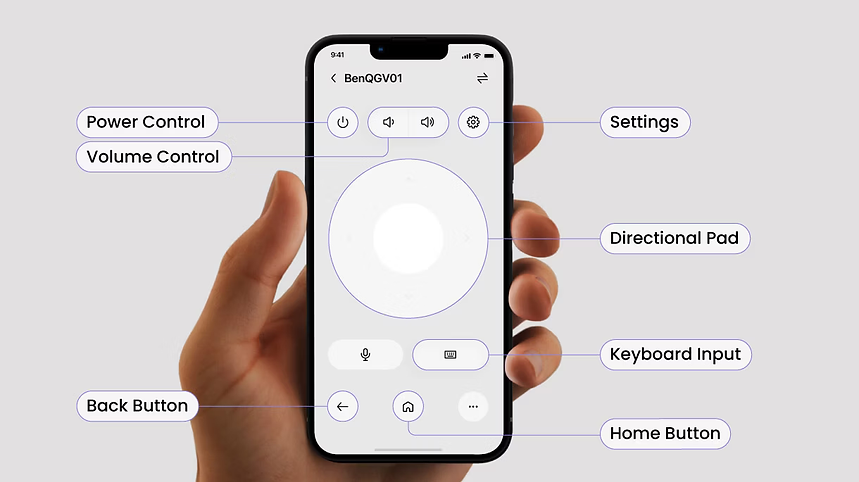
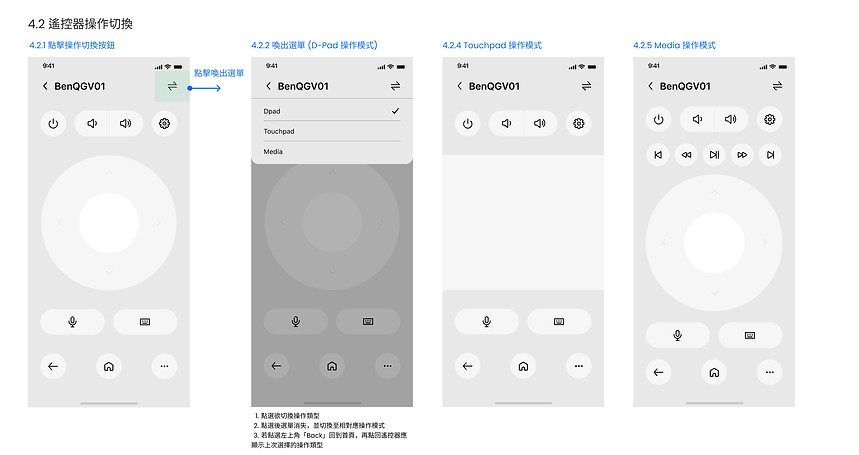
Visual Hierarchy: Prioritized the most-used functions (Navigation wheel, Keyboard) in the "thumb zone" for better mobile ergonomics, adhering to User-Centered Principles.
03. Feature-Specific Design Systems
-
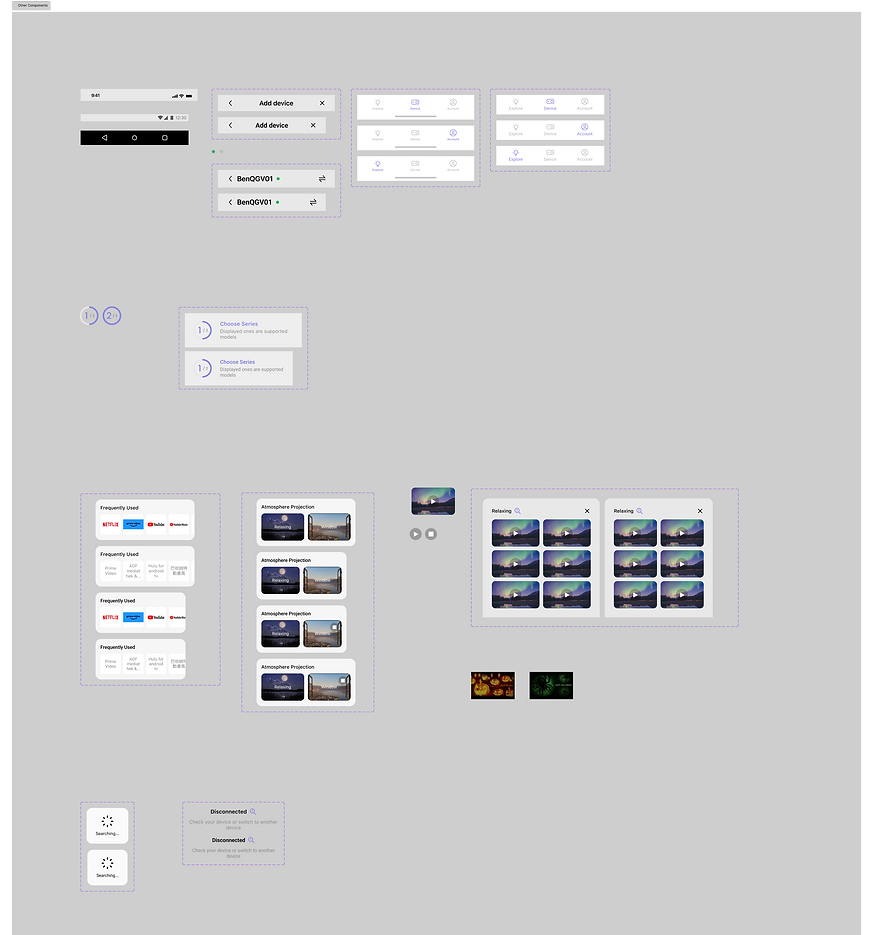
Component-Driven Design: Built a set of reusable UI components (Buttons, Sliders, Icons) in Figma, ensuring the app remains consistent even when adding new features like "Atmosphere Projection."

-
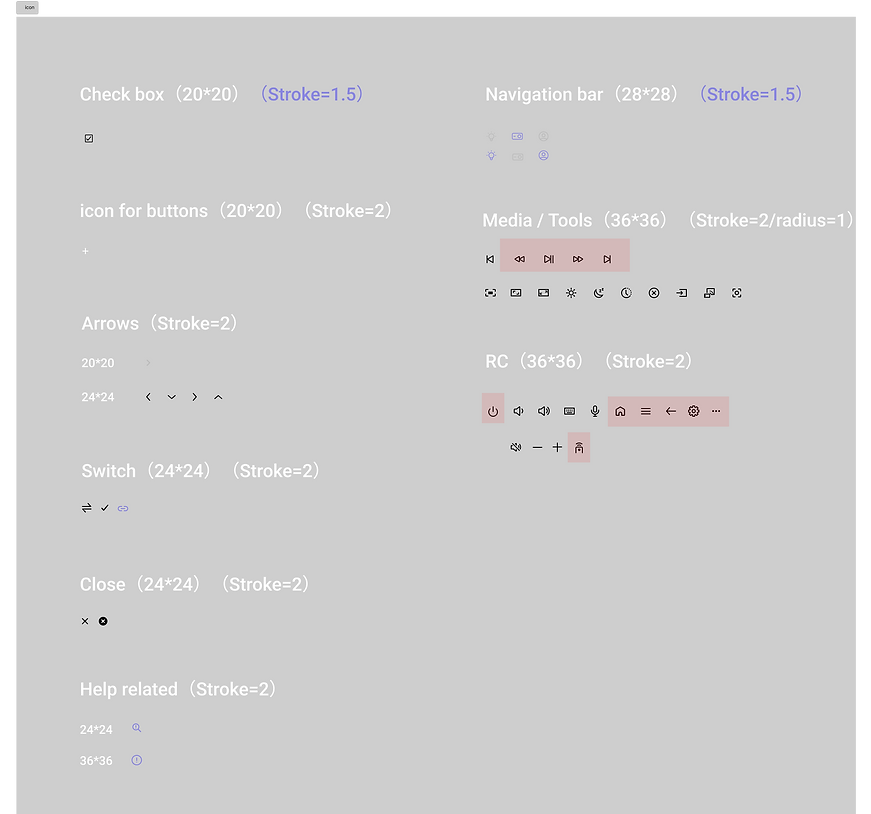
Iconography: Developed a custom, line-based icon system that remains legible at small sizes on mobile screens, reflecting Rigorous attention to detail and Pixel-perfect output.
04. Driving Engagement (Marketing & Digital Assets)
-
Lead-Gen Strategy: Designed the Landing Page layout focused on driving software downloads and ideaCam sales, using high-impact visuals to demonstrate the software in real-world scenarios.
-
Storytelling through Design: Used a "Z-pattern" layout to guide users through key features: from "All the controls" to "Atmosphere Projection," ending with a clear Support & Help section.


05. Results & Impact
-
Scale & Growth: Since launch, the app has surpassed 10,000+ downloads across international markets. This milestone proves the design’s ability to "Drive Leads" and maintain high conversion rates on global landing pages.
-
UX Optimization: Implemented intuitive UI components that simplified complex hardware interactions. User feedback indicated that the integrated keyboard and setup tools are primary drivers for the app's high retention rate.
-
Strategic Brand Positioning: Shifted the product perception from a basic remote to an essential "Atmosphere" hub. This emotional design approach led to a measurable increase in user engagement sessions.

